IP or Internet Protocol is a must known term that you need to know for working on the internet or in I.T.
You might have heard at some point of your life, but do you know what this actually mean?
Networking is based on a bunch of connection protocols for different environments and devices.
Today, I’m gonna focus on explaining about IP addresses in detail. So let’s get started.
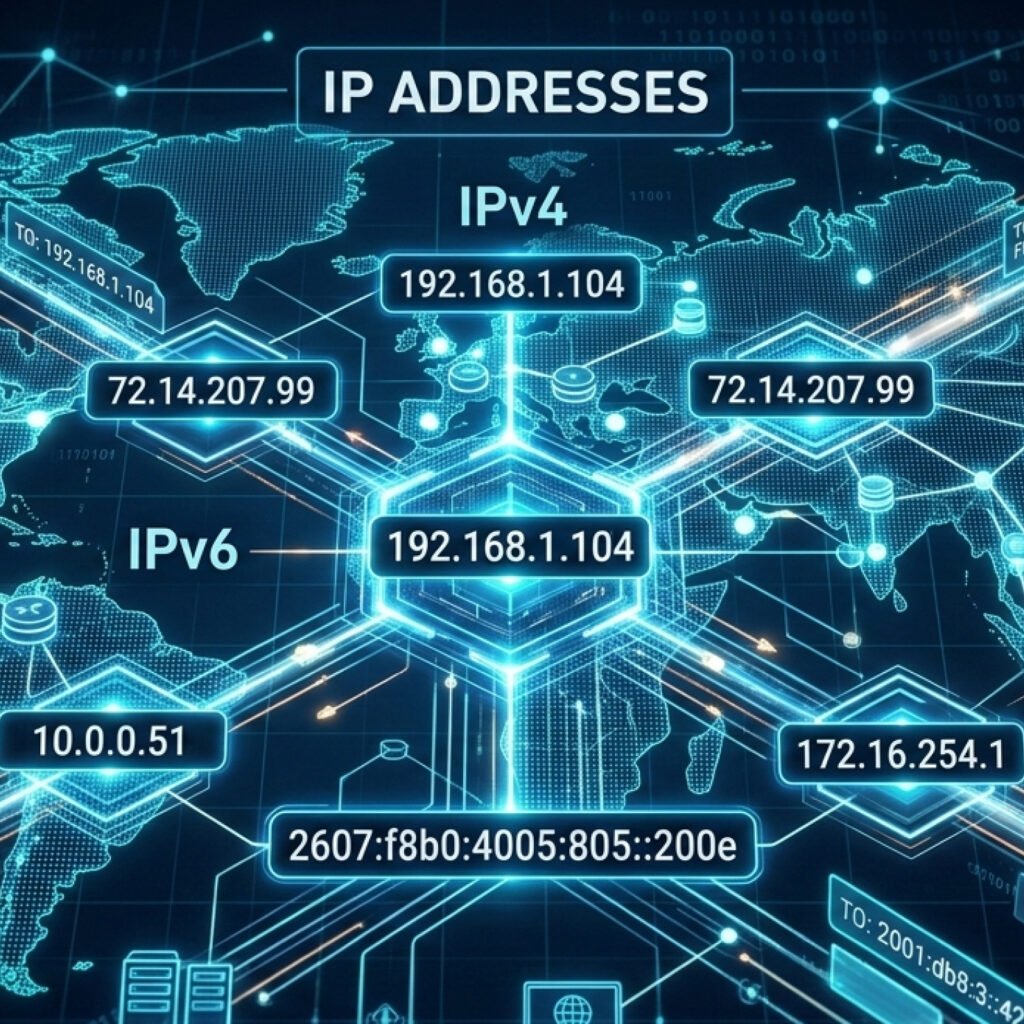
Every device connected on a LAN has its own address, this address is represented by 32bits as a sequency of four numbers, that are represented as 1byte. Each byte can go from 0 to 255, example: “192.168.1.25”. Nowadays, there are two types of IP addresses in use: IPv4 and IPv6. IPv4 was created in the 1970s, by Vint Cerf and Bob Kahn, that were working on the TCP/IP system for the US Department of Defense. TCP/IP and OSI model are the set of rules that enables connection between devices in a network divided be layers, I’m gonna talk more about it in another post, for now just have in mind that IP addresses are implemented in a more broad connection system.
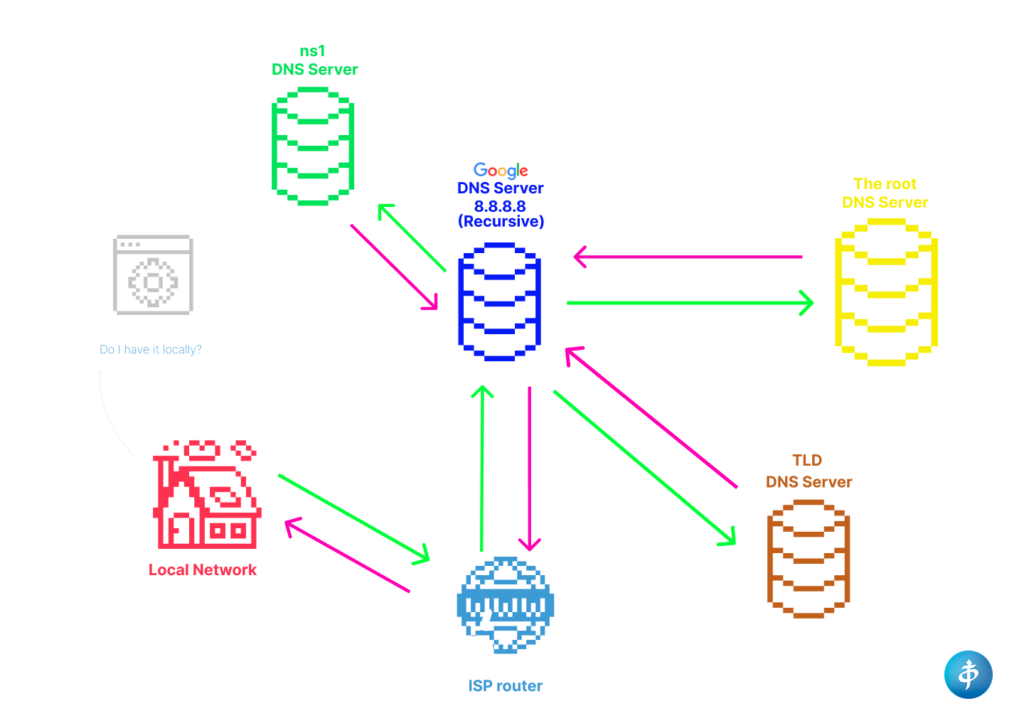
With that in mind, We can think the IP as a identification of the device for it to be discovered on the network for being able to transmit and receive data from other devices or servers, inside or outside of the local network. So, how does it work for real? When you want to access a website on your browser, like cybearshield.com, you insert the name of the website on the search bar. When you do that, what happens is that actually this name is called “DNS” or “Domain Name System”. The first thing is that the browser is gonna check if you already have it saved locally, if it does, problem solved. Otherwise, if it’s your first time accessing that website, the name is taken by the Internet Service Provider (ISP) via router that sends a request to the DNS that uses a recursive search to find the IP address number. It starts by asking the “root” level of domains, which means the 13 servers represented by 12 organizations and it’s the most high authoritative servers across the globe represented by organizations like: Verisign, NASA, and others; to know if they know the IP address of that name. Turns our that, maybe they don’t know it, and that’s what recursive means in this context. They will delegate to another level of servers like “g.gtld-servers.net” that are TLD – Top-Level Domains responsible for the .com and .net domains, for example, and if still don’t know it, Google DNS server is gonna try for the SLD (Second Level Domain – that part before the .com or .net, for example). In our case with a nslookup query (I’m using linux but it could be on Windows as well) we can find who manages the the domain. And if we wanna access cybearshield.com it looks like this:
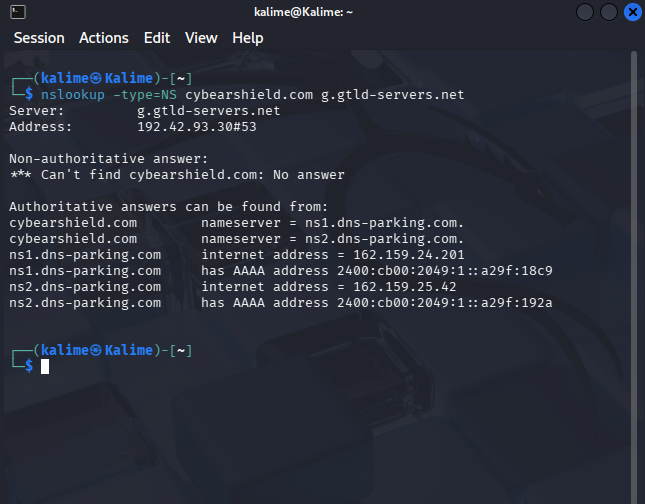
As we can see, ns1 DNS server knows the IP address and then sends it back to the Google DNS Server who is able to response to our router. It can be a little bit confusing just by reading it, so I created a scheme that you can down below to demonstrate this in a more visual way:
With all that information, we can move forward with another subject:
Private and Public IPv4 addresses.
Private IPv4 addresses are designated to private or local networks, they are not accessed by the public IPv4 addresses, it was divided in order to have more IPv4 available dut to the increase of devices connected nowadays. The IPv6 was launched in 2012, as an alternative for the exaustion of IP addresses.
The carrier-grade NAT addresses are blocked and can’t be used because they work as an intermediate layer between private and public IP addresses. When you need to connect to the internet your local network sends data to your ISP, in this meantime the ISP gather other IP addresses wanting to connect to the internet and group them as a single IP, because of the shortage of addresses available. But don’t get it wrong, the ISP holds a different IP for each local network, so it doesn’t get confused by your neighboor, they know it’s you. In this way, it’s easier and more smart way to arrange addresses enough for everyone not needing to give each a single IP address.
The loopback address or localhost is 127.0.0.1 reserved for the device to comunicate with itself, for testing connections wihtout internet or physical network cards. The whole range from 127.0.0.0 to 127.255.255.255 is reserved for this purpose.
There are some Special Purpose addresses that are reserved for multicast (244.0.0.0 – 239.255.255.255) and research (224.0.0.0 – 255.255.255.255). We cannot use them.
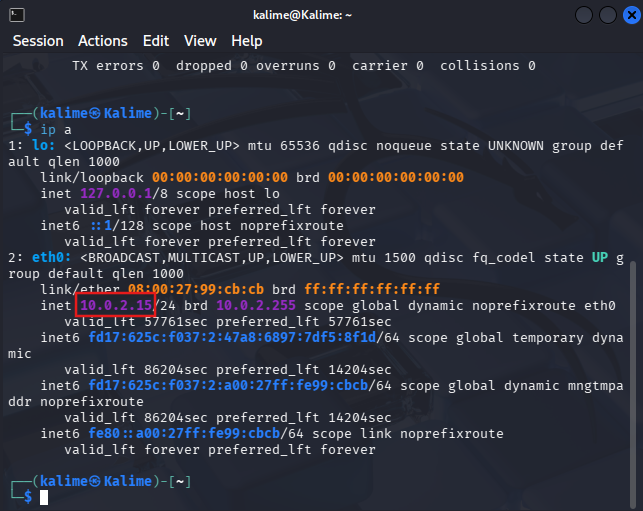
To check your own IP address you can go to the terminal and type “ip a” if you are using Linux.
If you are using Windows, you can type “ipconfig“:
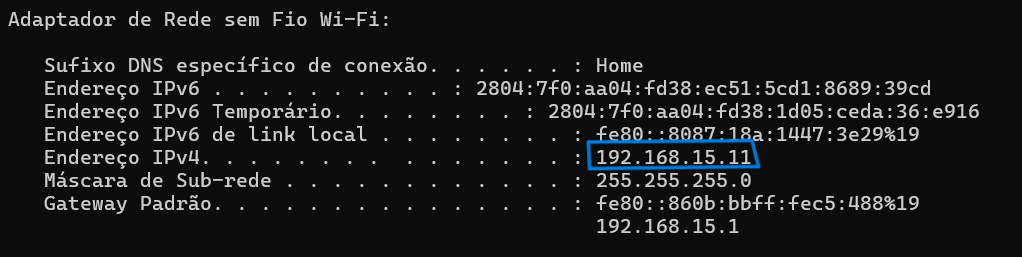
The alpha numeric sequency on top of the IPv4 address is the IPv6 address, a 128-bit hexadecimal address type. It supports 340 undecillion addresses, ending with the problem of shortage. However, they still need to run in a mechanism called dual-stack that runs both IPv4 nd IPv6 at the same time because the are not compatible. IPv6 also doesn’t need the NAT.
The IPv6 structure looks like this “2001:0db8:85a3:0000:0000:8a2e:0370:7334” and they are some rules that you can apply for it. You can ommit leading zeros like “0db8” turns into “db8“. Also, a sequency of zeros “0000” can also be replaced by “::“. So, applying the rules the previous address would look like this: “2001:db8::1428:57ab“. And it doesn’t use broadcast addresses, relying only on specialized multicast groups.
That’s it for today. Later, I intend to bring some content about subnetting if it already exists the word is gonna be a link to the post.
I hope you enjoyed! :.: